Everything the app does.
No fluff - this page is the reference, not the pitch.
What's New
The two latest updates, straight from the app’s own release notes.
Version 1.4.0
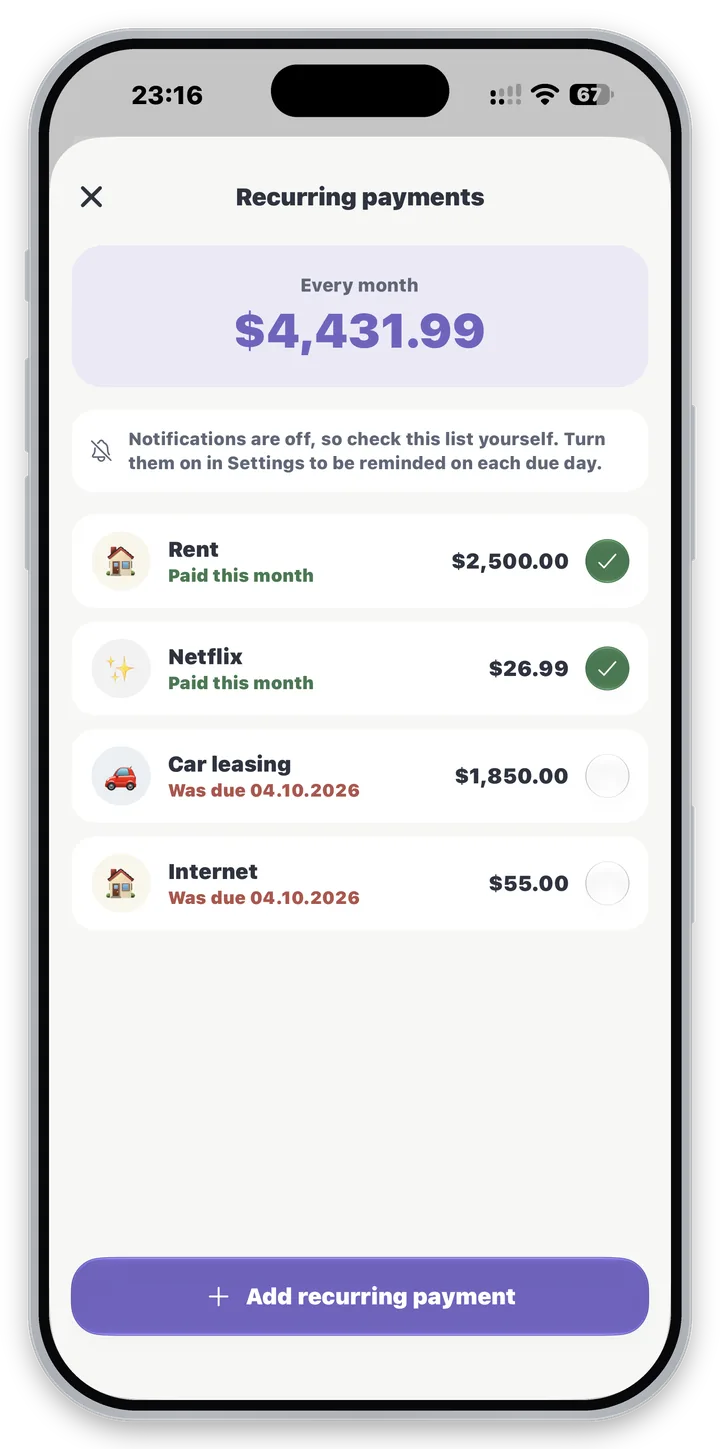
Recurring payments
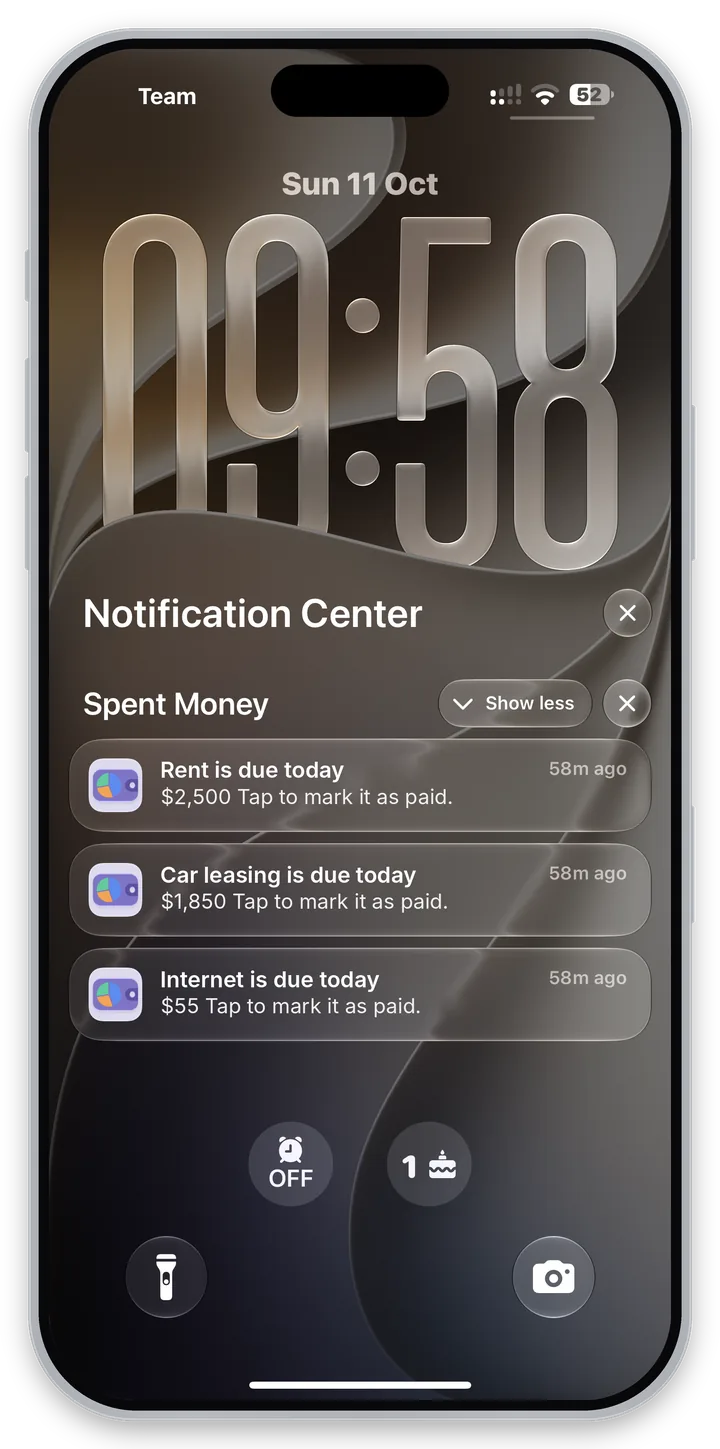
Recurring payments: rent, bills and subscriptions, with a reminder on the day each one is due
Mark a recurring payment as paid and it is added as today's expense
Daily reminder
An optional daily reminder if you have not added any expenses yet
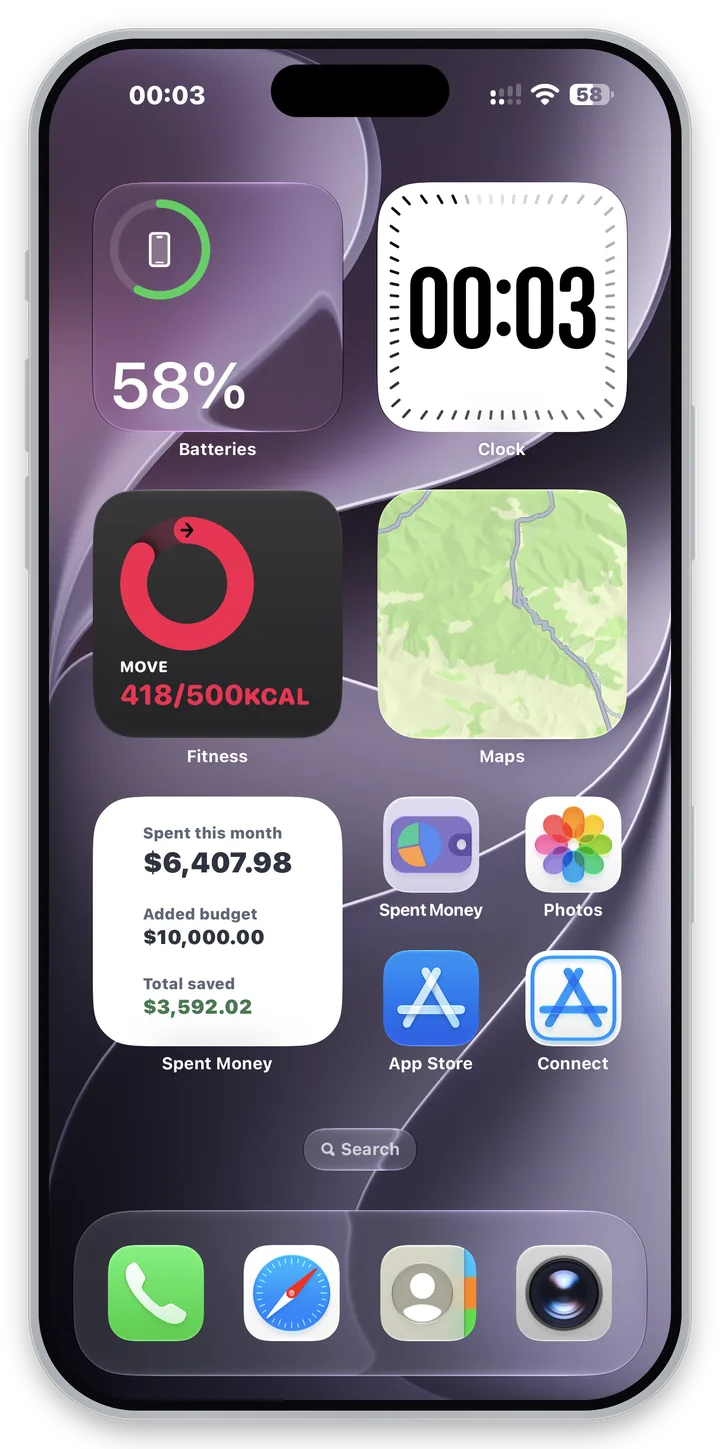
Home and Lock Screen widgets
Home Screen widgets show this month's spending, your added budget and your total saved
The medium widget also shows your monthly limit and how much is left
Lock Screen widgets show your spending right under the clock
A new look
A new app icon, with Dark and Tinted versions for your Home Screen
A calmer color palette that is easier on the eyes, in light and dark mode
Version 1.3.0
Glass effect
A Liquid Glass look on iOS 26 and later, with smooth transitions everywhere
Liquid Glass can be turned off in Settings if you prefer the plain look
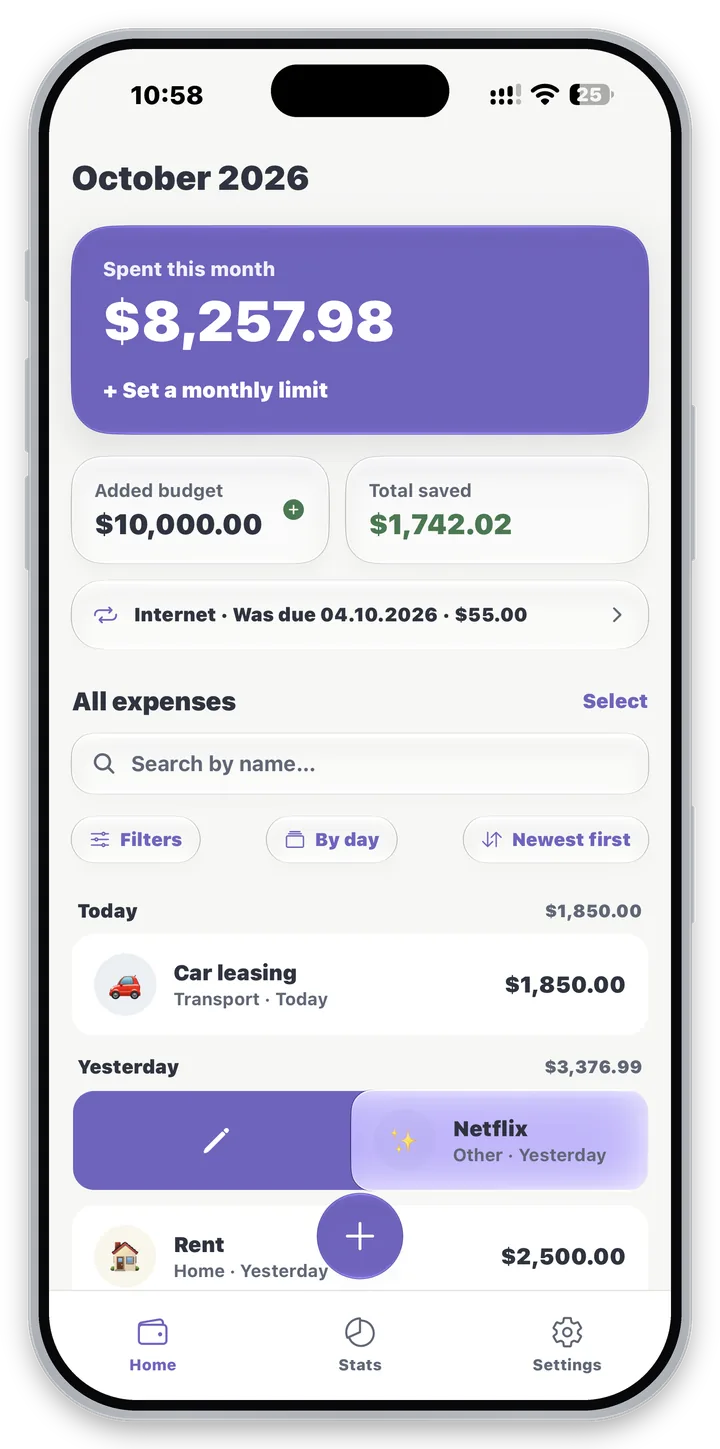
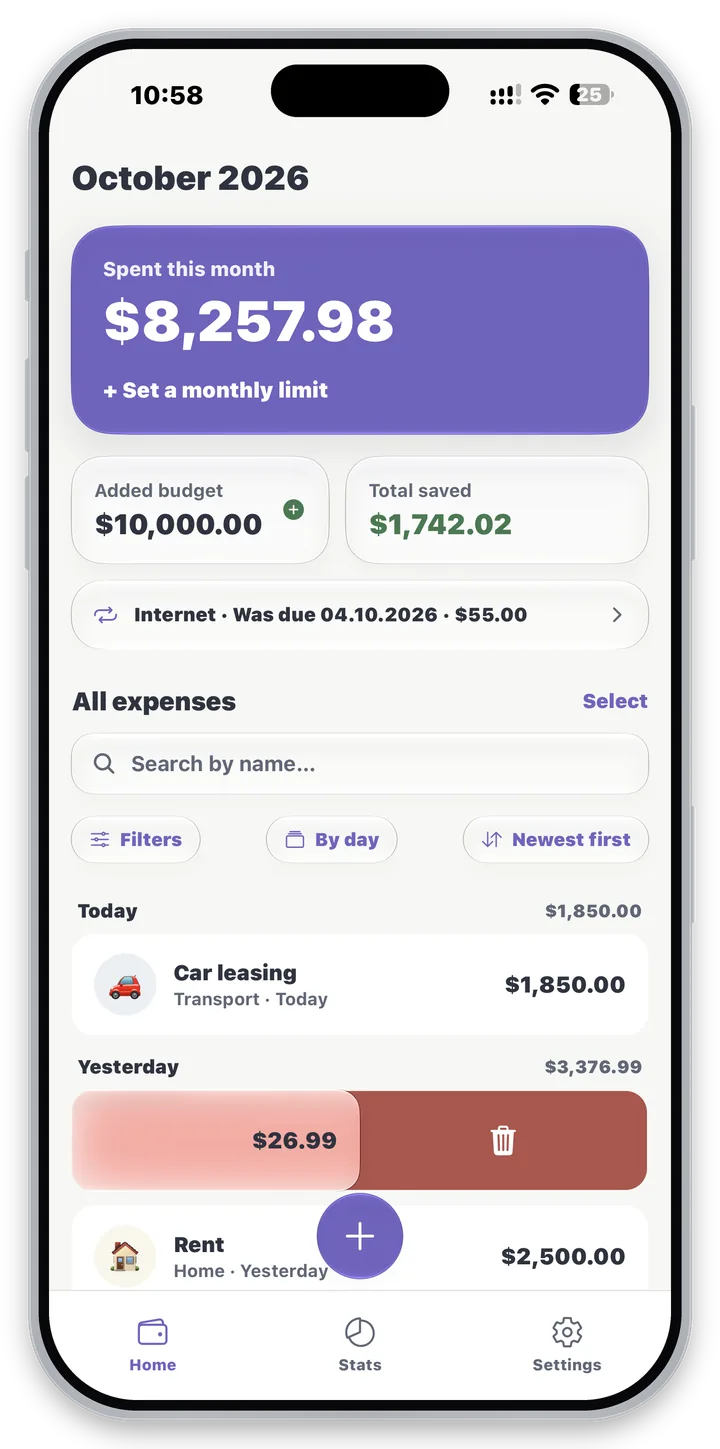
Swipe to edit or delete
Swiping a row shows a full Edit or Delete color that follows your finger
Select
Select several expenses and delete them in one go
Delete a category, keep its expenses
Deleting a category keeps its expenses: they move to Uncategorized or a category you pick
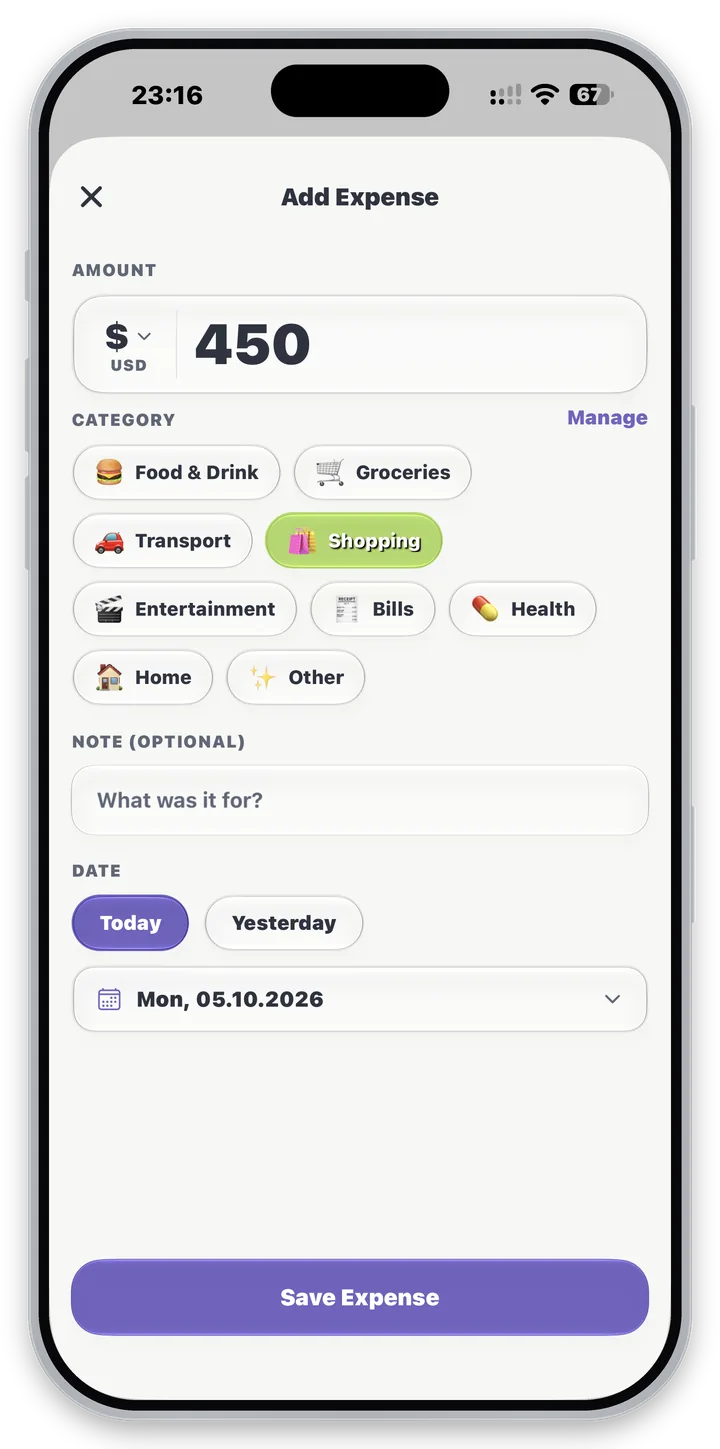
Track spending
Add an expense in a couple of taps: amount, category, an optional note, and a date.
Swipe left to delete, swipe right to edit - the same gesture works on categories and budget entries too.
Find anything
Search
An inline box, matching notes and category names.
Filters
Period - day, week, month, year - plus category multi-select.
Group
Sections by day, week, month, or category - each with its own subtotal.
Sort
Newest, oldest, highest, lowest, A–Z, or Z–A.
Select
Tap Select, tick the expenses you want - or all of them with one checkbox - and delete them in one go. The total is shown before you confirm.
Two different ideas of "budget"
Monthly limit
A spending cap you set for yourself. Lives in Settings.
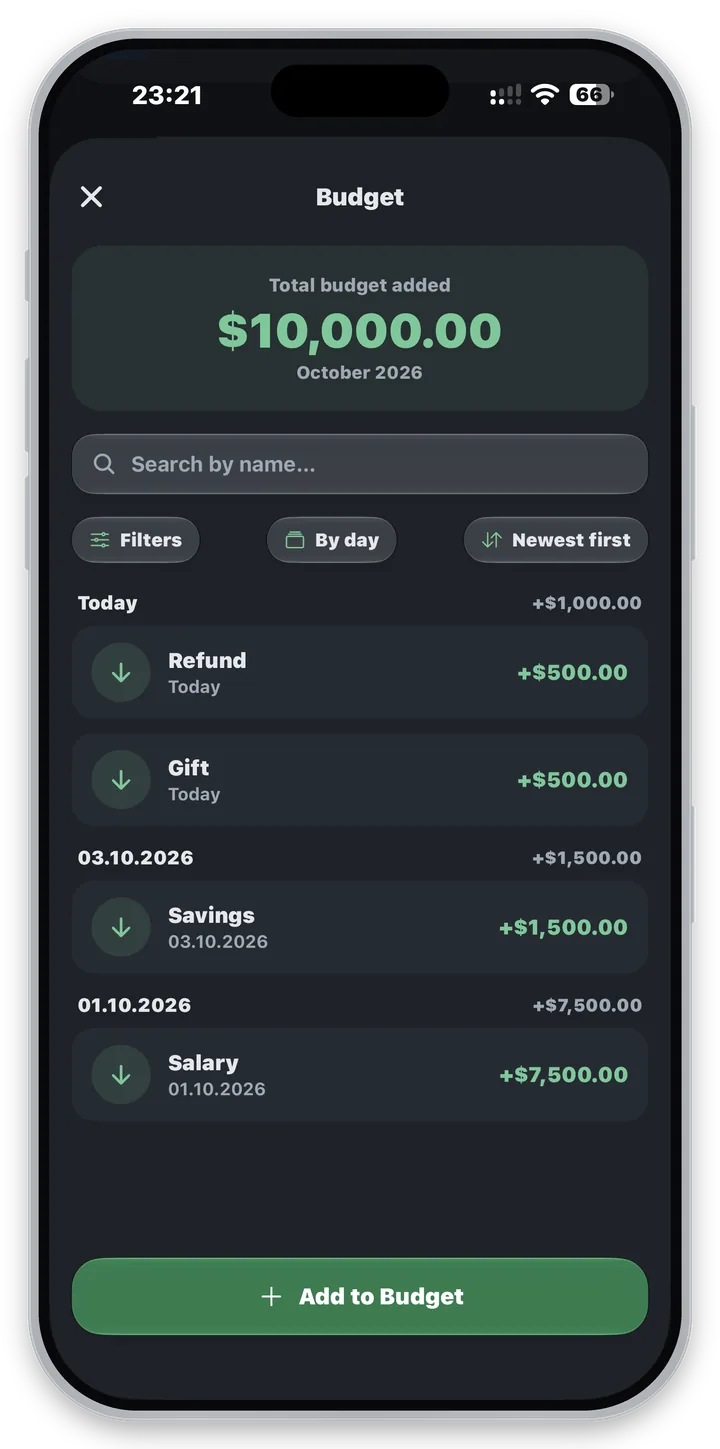
Budget
Money you actually receive - salary, a bonus, a gift. Lives on the Budget screen.
45%
92%
108%
Home turns amber at 90% of your limit, and red once you pass it - with a warning banner.
“Saved” is simply income minus spent, for whatever period you’re viewing.
You can also set an optional per-category monthly budget - a progress bar per category.
See where it went
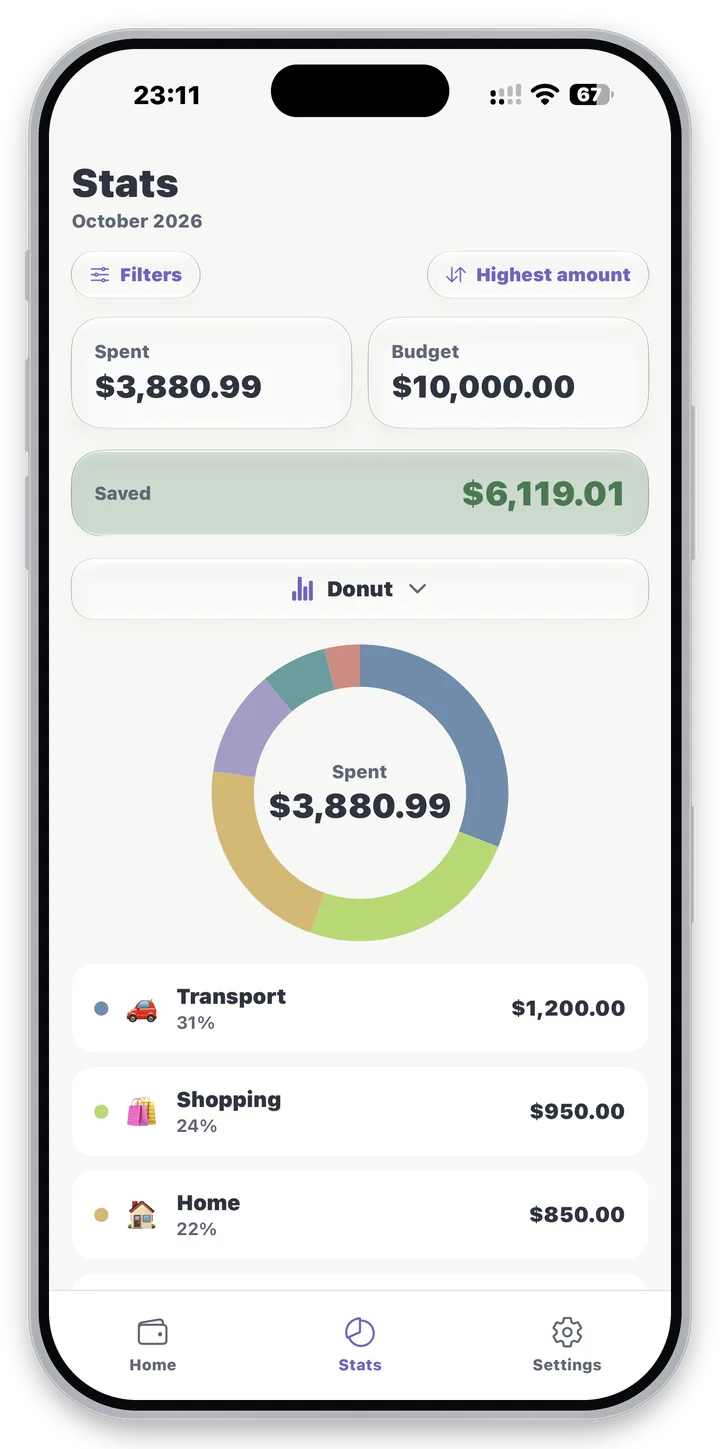
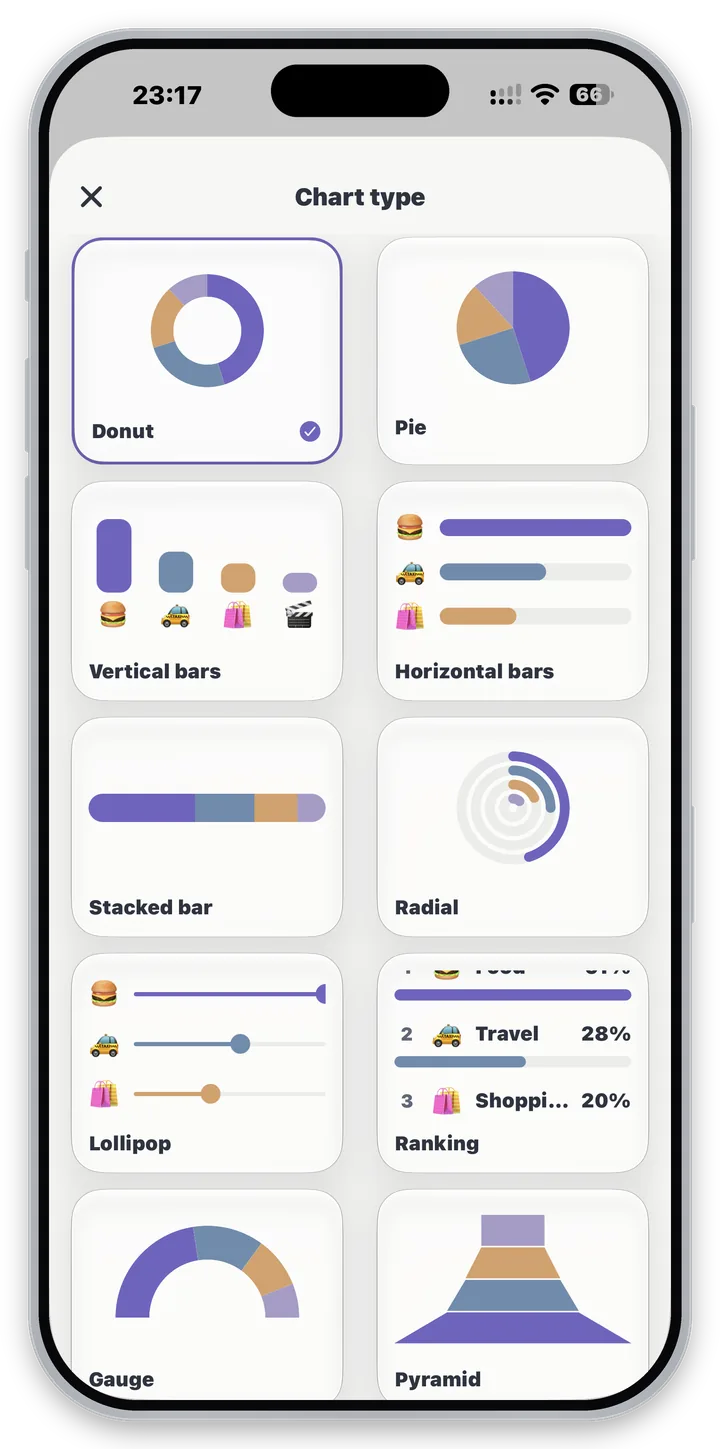
The Statistics screen breaks spending down by category, over any period, with 12 chart styles to choose from - your choice is remembered between launches.
Make it yours
9 starter categories - or create your own with any emoji and any color, using the full emoji keyboard and color picker built in.
156 currencies
Searchable by name or code. Your main currency can be any of them. Entering an expense in a currency other than your main one is a Pro feature - when you do, the app fetches today’s rate as you save and stores the converted amount.
That lookup sends nothing but a currency code. If no rate can be fetched, the expense isn’t saved - never at a stale rate. Editing a converted expense keeps the rate it was originally saved at.
18 number formats
Symbol before or after, thousands separated by a comma, a dot, a space or nothing at all, 0 or 2 decimals, and Indian lakh/crore grouping.
$1,234,567.89
Comma thousands, dot decimal
$1.234.567,89
Dot thousands, comma decimal
$12,34,567.89
Indian lakh/crore grouping
11 date formats
Day, month or year first, separated by slashes, dots or dashes - plus two-digit years, and a short month name written in your own language.
31/12/2026
Day first
12/31/2026
Month first
2026-12-31
Year first (ISO)
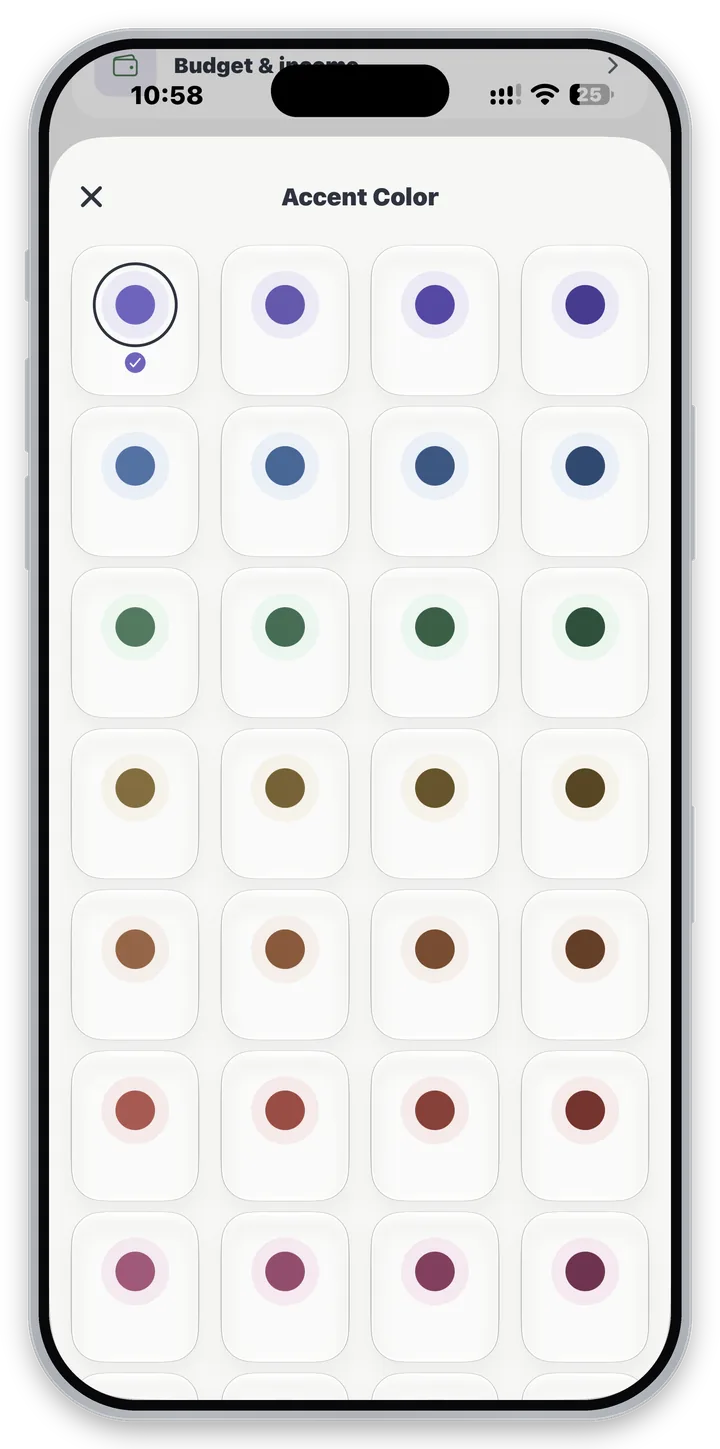
Light, Dark, or follow the system - plus an accent color of your choosing.
Light
Dark
System
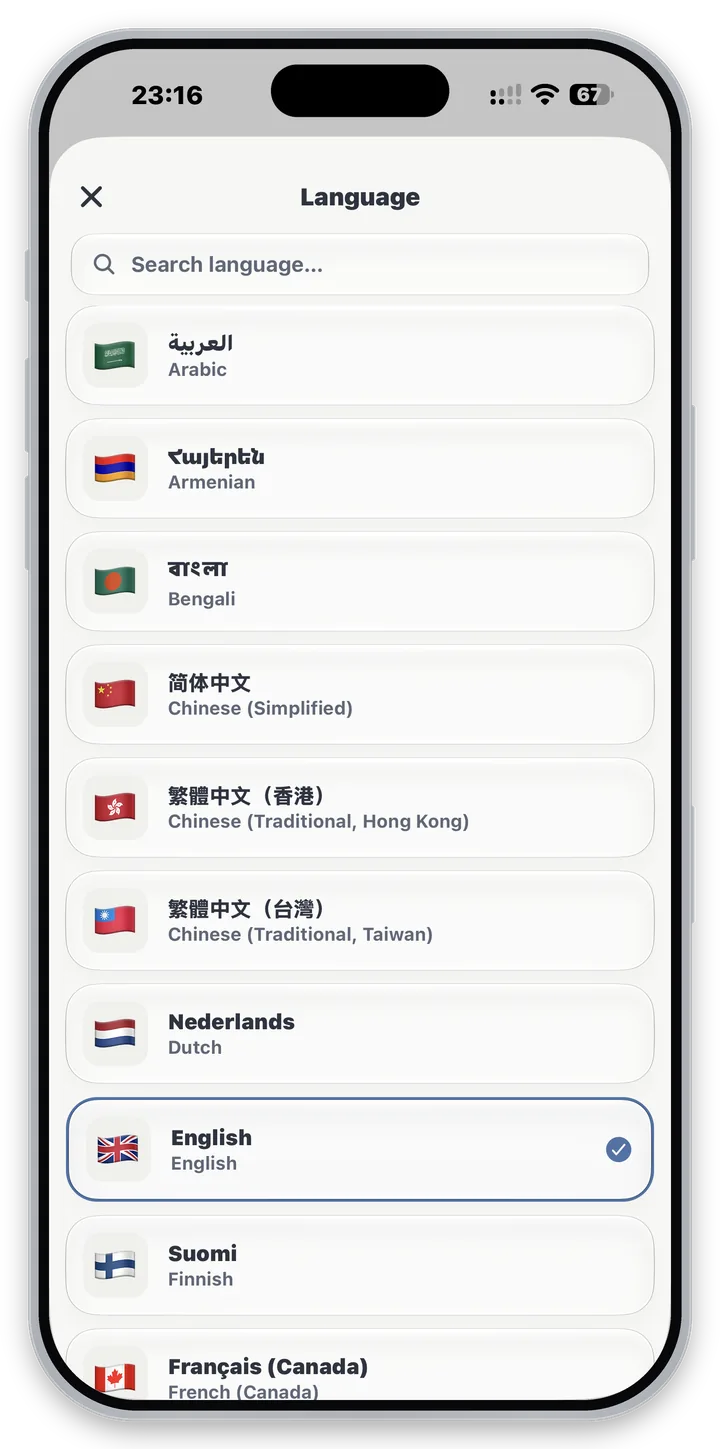
Available in 37 languages
Currency names are translated too - not just the interface.












Keep it safe
App lock
An optional 6-digit PIN, required on launch and whenever the app is backgrounded. Never stored as text - only a scrypt hash with its own random salt, deliberately slow and memory-hard.
Backup & restore
Export everything to a single JSON file you control, and restore it on any device. Manual, and nothing is uploaded anywhere.
Encrypted backups
Password protection is a Pro feature. With Pro, “Protect with password” is on by default, and the file is sealed with AES-256-GCM under a key stretched from your password. Restore recognises an encrypted file and asks for the password - and restoring is never gated, with or without Pro.